SOYATOOLS / GUIDES
How to open a PES embroidery file on Windows (without embroidery software)
A .pes file is a machine embroidery design in the PES format used by Brother embroidery machines. It holds stitches, thread colors and a small preview picture, not an ordinary image, so Windows cannot show it by itself. An embroidery viewer opens it on your PC without the machine software.
What you can see for free
PES & DST Embroidery Viewer is a Windows app made by SoyaTools. Opening and viewing are free:
- Stitches drawn the way thread looks, or flat while you zoom. Jump lines can be shown or hidden.
- Size in mm and inches, and the number of stitches, colors, color changes, stops, trims and jumps.
- The design name and the small picture stored in PES files.
- The thread color list, with where the colors come from: stored in the file, a thread-chart number, a color file next to the design, or none.
- Real size on screen, and a folder gallery of every design in a folder.
- Saving one picture as PNG.
It opens .pes files of every version we could find test files for (v1, v4, v6, v7 and v10). We found no public samples of v2, v3, v5, v8 or v9, so those were not tested.
1. Open the PES file
- Install the app from Microsoft Store.
- Choose Open and select the .pes file, or drag the file onto the window. You can also drag a whole folder.
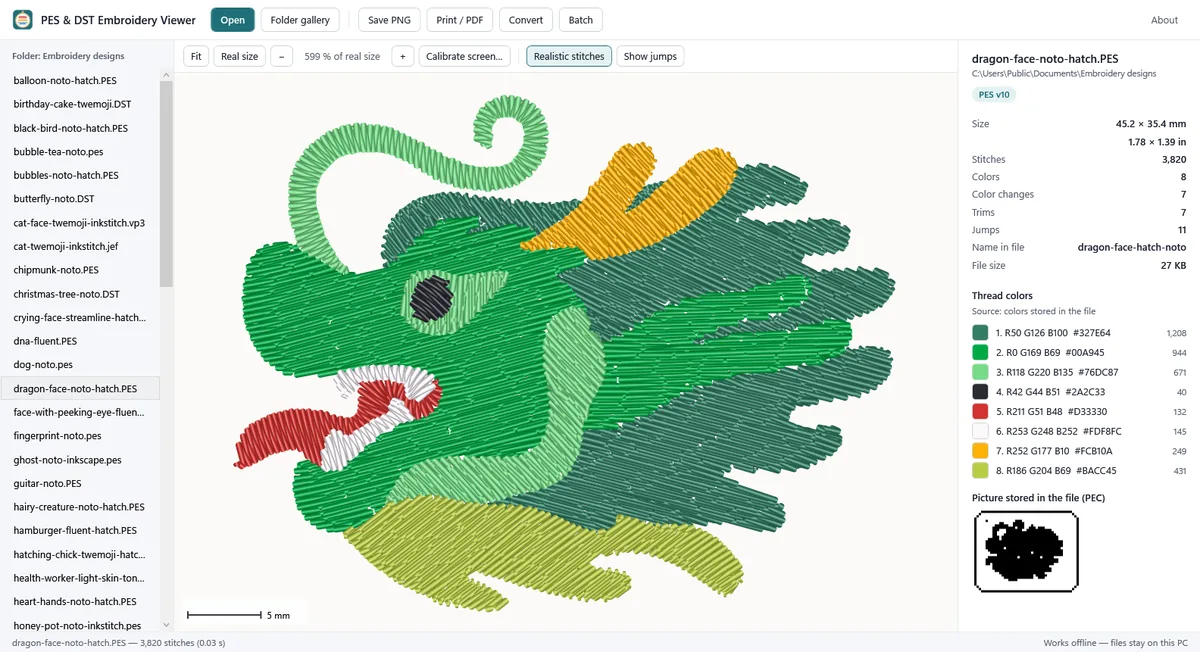
- The panel on the right shows the size, the counts, the thread colors and the picture stored in the file. Use Realistic stitches and Show jumps to change the view.
2. Check the real size
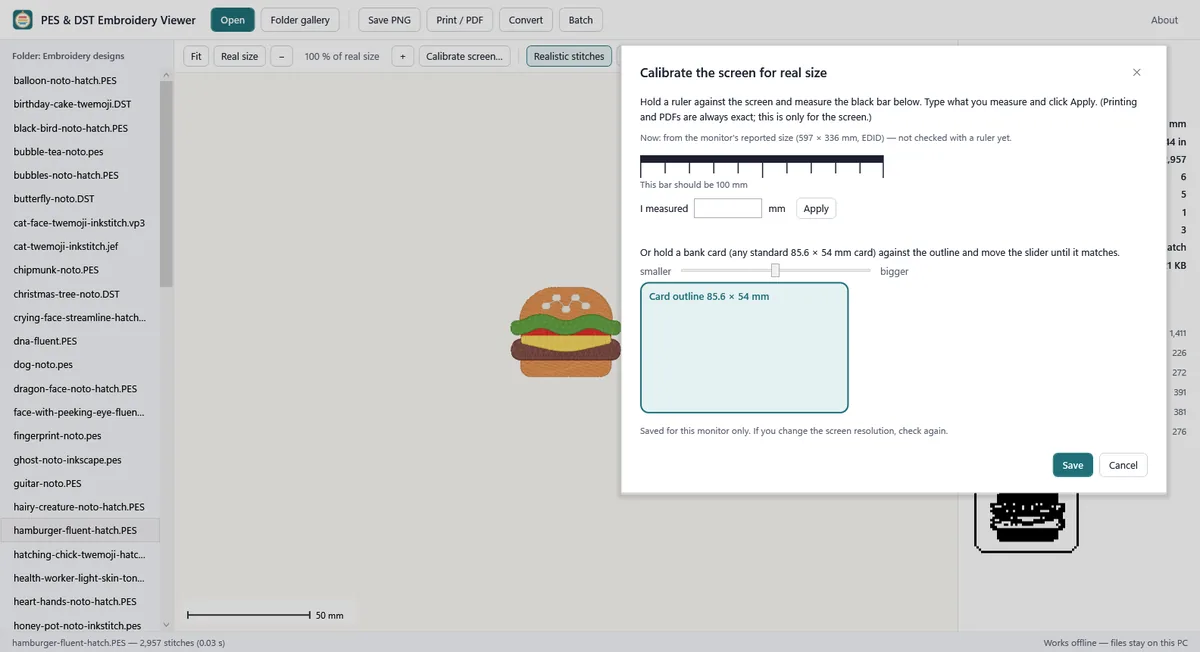
Real size shows the design at 100 % using the size your monitor reports. To check it once, choose Calibrate screen…: hold a ruler against the 100 mm bar and type what you measure, or hold a standard 85.6 × 54 mm bank card against the outline and move the slider. The result is saved for that monitor.
Printing and saving a PDF at real size are part of Pro. The page carries rulers, a 50 mm check bar, a centre cross and the color list, and the design is never shrunk to fit; if it does not fit the paper, the app says so. In the app’s PDFs the 50 mm bar measures 50.0 mm. Real printers were not tested, so measure the bar on your first print.
3. Look through a whole folder
Choose Folder gallery to see pictures of every design in a folder and its subfolders, sorted by name, size, stitches or colors and filtered by type. Double-click a design to open it. With Pro, Batch saves a PNG and/or a real-size PDF of every design, one catalog PDF (20 designs per page) and one info CSV.
Limits
- Damaged files are not repaired. The app opens what it can read and tells you the file may be damaged.
- There are no hoop checks for particular machines, because we found no official hoop sizes. Compare the size shown with your hoop.
- It is a viewer and converter. It does not edit or digitize designs.
- To save the design for a different machine format, see Convert PES to DST (and JEF, EXP). Conversion is part of Pro.
Measured, not promised
- 795 test files in 8 formats: stitch by stitch the same result as pyembroidery, an open-source reference reader, for 789. The other 6 differ only because the app also reads the color file next to them.
- 4,770 deliberately damaged copies: none crashed or froze the app; 82 % were flagged as possibly damaged.
Other ways to open a PES file
The software that came with your embroidery machine, or a digitizing program, also opens PES files. Ink/Stitch, a free extension for Inkscape, can open many embroidery formats too. Use whichever you already have; a viewer is enough if you only need to look, measure and check colors.
FAQ
Can I rename .pes to .jpg or .png?
No. A PES file stores stitch commands, not a picture. Open it in a viewer and save a PNG instead (free in this app).
Is my design uploaded?
No. The file is read on your PC only, and the original file is never changed. See the Privacy Policy.
Which other formats does it open?
.pec, .dst, .jef, .exp, .vp3, .xxx and .hus. HUS is marked beta because there were few test files. DST and EXP files have no thread colors; see How to open a DST embroidery file.