
WINDOWS APP
.accdb · .mdb
ACCDB & MDB File Viewer
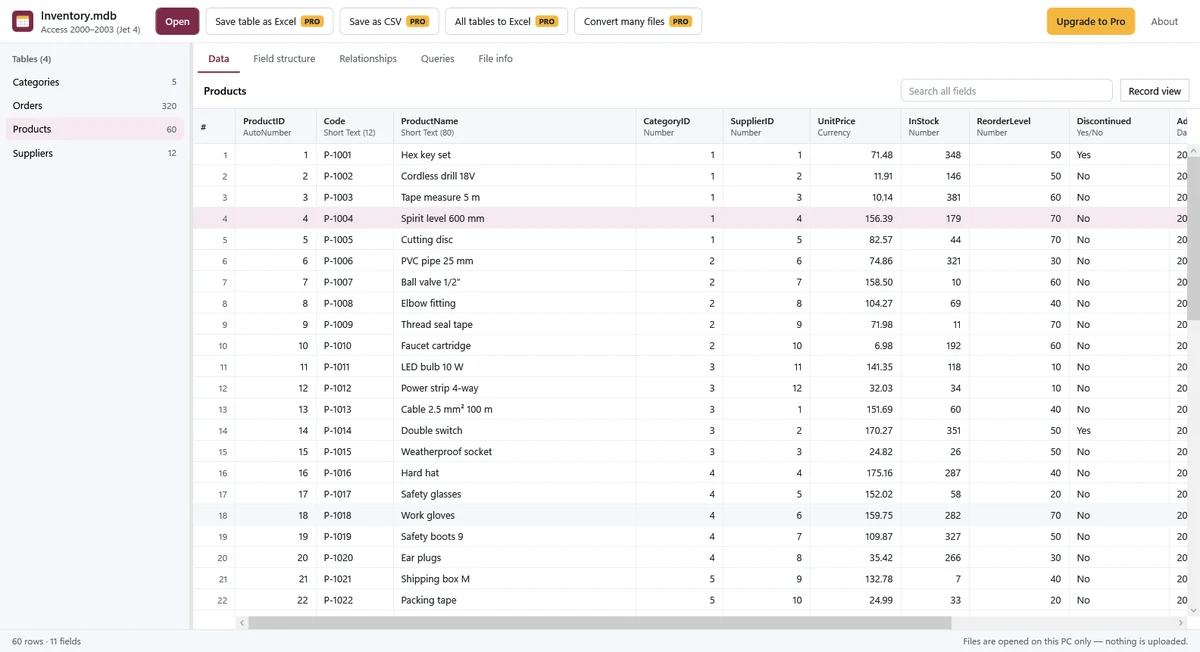
Open Access databases on Windows without Microsoft Access. Browse tables, read long text, inspect relationships and saved query SQL, then save tables as Excel or CSV with Pro. Your files stay on your PC.
Free: open and read
- Open Access 97 to 2021 databases (.mdb, .accdb) by double-clicking, dragging into the window or choosing Open.
- Browse tables with row counts, sort columns and search every field, including full long text.
- Use Record view to read all fields in one row, full long text and the names and sizes of attachments.
- See field types and descriptions, relationships between tables, saved query SQL and file information.
- Copy a cell, one row or saved query SQL.
- Read locally and offline; Microsoft Store purchase and license checks are the only network use.
Pro: convert and export
$7.99, one-time purchase. No subscription.
- Save a table as Excel (.xlsx) or UTF-8 CSV with a BOM, keeping number, date and Yes/No types in Excel.
- Save all tables into one Excel file, one sheet per table.
- Save attachments from Record view.
- Copy multiple rows at once.
- Convert multiple database files at once: one Excel workbook per database or one CSV per table.
Single-table exports follow the current search and sort order. Excel exports keep numbers longer than 15 digits as text; cells beyond 32,767 characters are truncated.
Supported files and tested scope
The app reads .mdb and .accdb databases from Access 97 to 2021. For older Access 97 text, automatic encoding uses the file's code page; you can select an encoding manually if characters look wrong.
In our tests, a table with 1,000,000 rows opened in about half a second. Opening time depends on your PC and file.
Good to know
- This is a viewer and converter. It does not edit databases, execute queries or open forms, reports, macros or VBA.
- Saved queries are shown as SQL text for reading and copying; viewing SQL does not run it.
- Password-protected, encrypted and encoded Jet databases cannot be opened. The app does not remove protection.
- Linked tables show the link target; the app does not open the external source or read its rows.
- OLE fields show the object's size. The app does not extract images from OLE objects; saving attachments is a separate Pro feature.
- A damaged or wrong-format file shows a message. Partly readable files can show available rows with a warning about skipped pages or rows; missing data is not recovered.
Private by design
Database contents are processed locally, never uploaded or collected by SoyaTools. Excel, CSV and saved attachments are written where you choose on your PC. Microsoft Store handles Pro payment and license verification. Read the Privacy Policy.
Guides
- Open .accdb and .mdb files without Access, and save tables as Excel or CSV
- Access 없이 ACCDB·MDB 파일 열기와 Excel·CSV 저장 (한국어)
For dBase, FoxPro and Shapefile .dbf tables, see DBF File Viewer.