WINDOWS APP
.pdf · .docx · .xlsx · .pptx
Redact PDF & Remove Metadata
Remove what should not leave with your document.
Redact PDFs — the text under the box is deleted, then the saved file is checked — and clean hidden information from PDF, Word, Excel and PowerPoint files. Offline, for Windows.
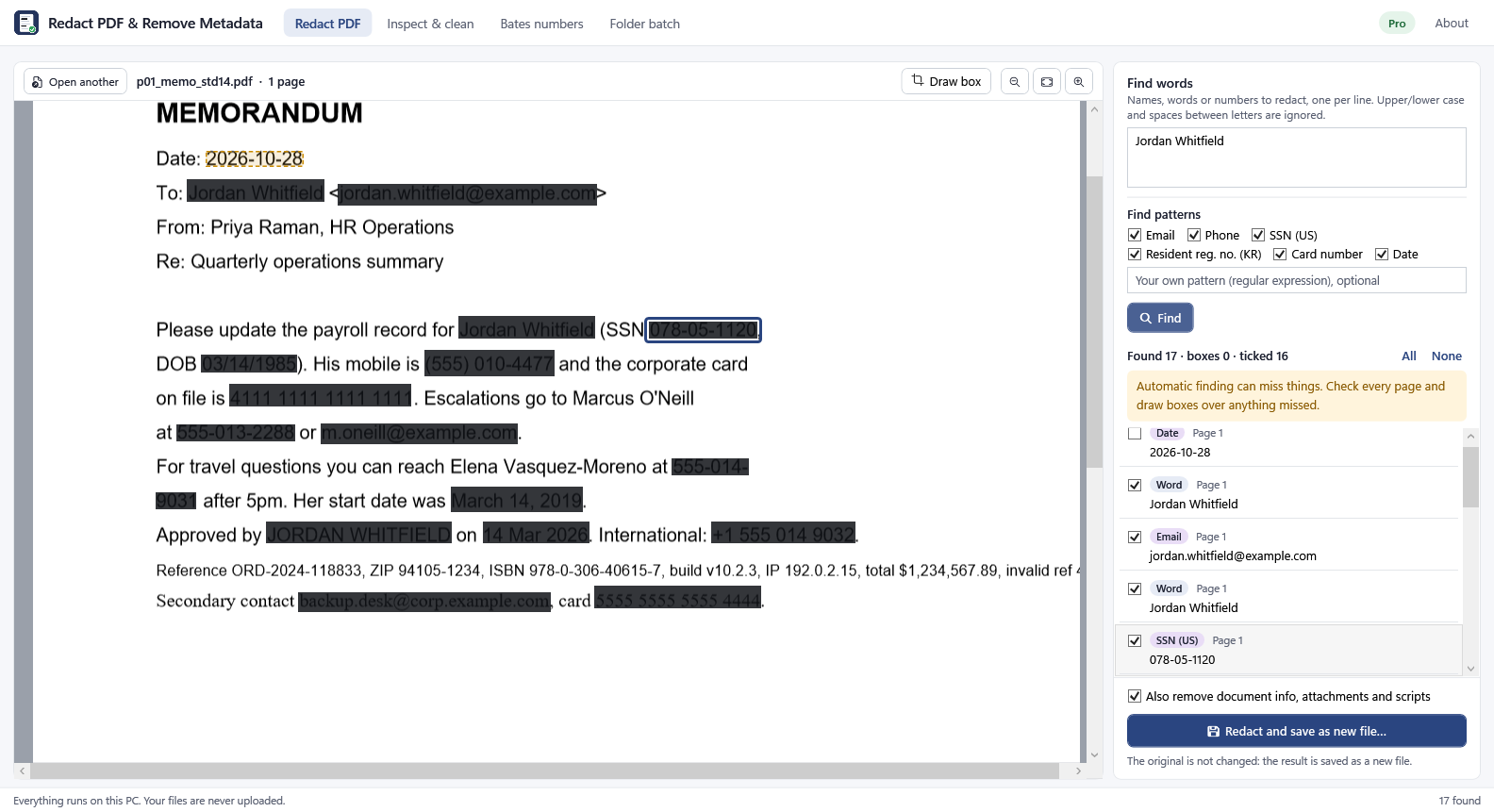
Redaction that deletes, not just covers.
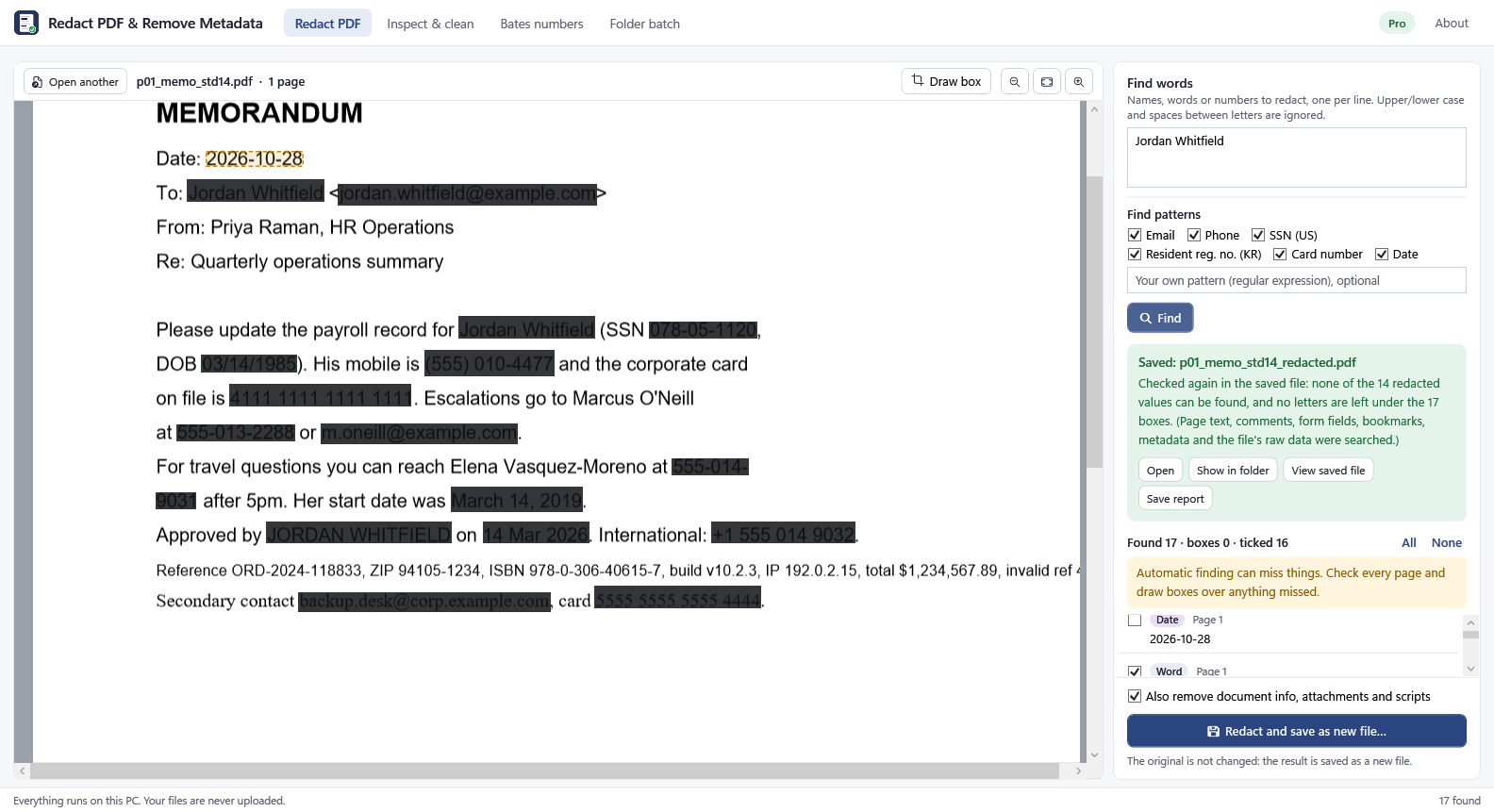
Text, pictures and drawings under a black box are removed from a new file. Comments, form fields, bookmarks and metadata holding the value are cleaned too. After saving, the app reads the new file again and shows what can still be found — normally nothing.
You check every item.
Found names, numbers and patterns are listed; untick what stays, draw a box over what was missed. Automatic finding can miss things, so the app says so and asks you to check.
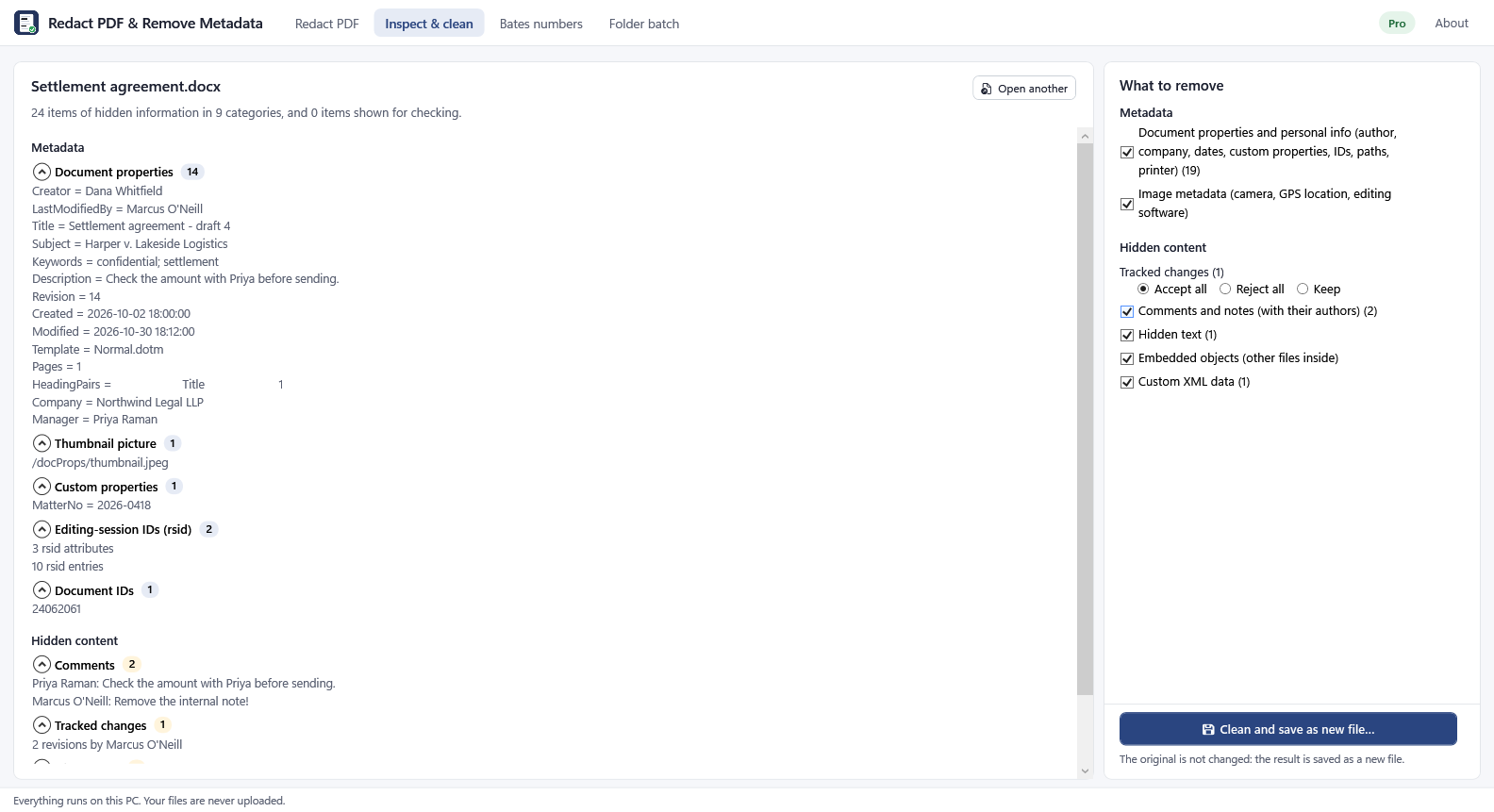
Hidden information, found and removed.
Authors, tracked changes, comments, hidden rows and sheets, speaker notes, photo GPS data, earlier versions inside a PDF, attachments.
Scanned pages.
Windows' own text recognition finds text in page pictures and the pixels are erased (Pro).
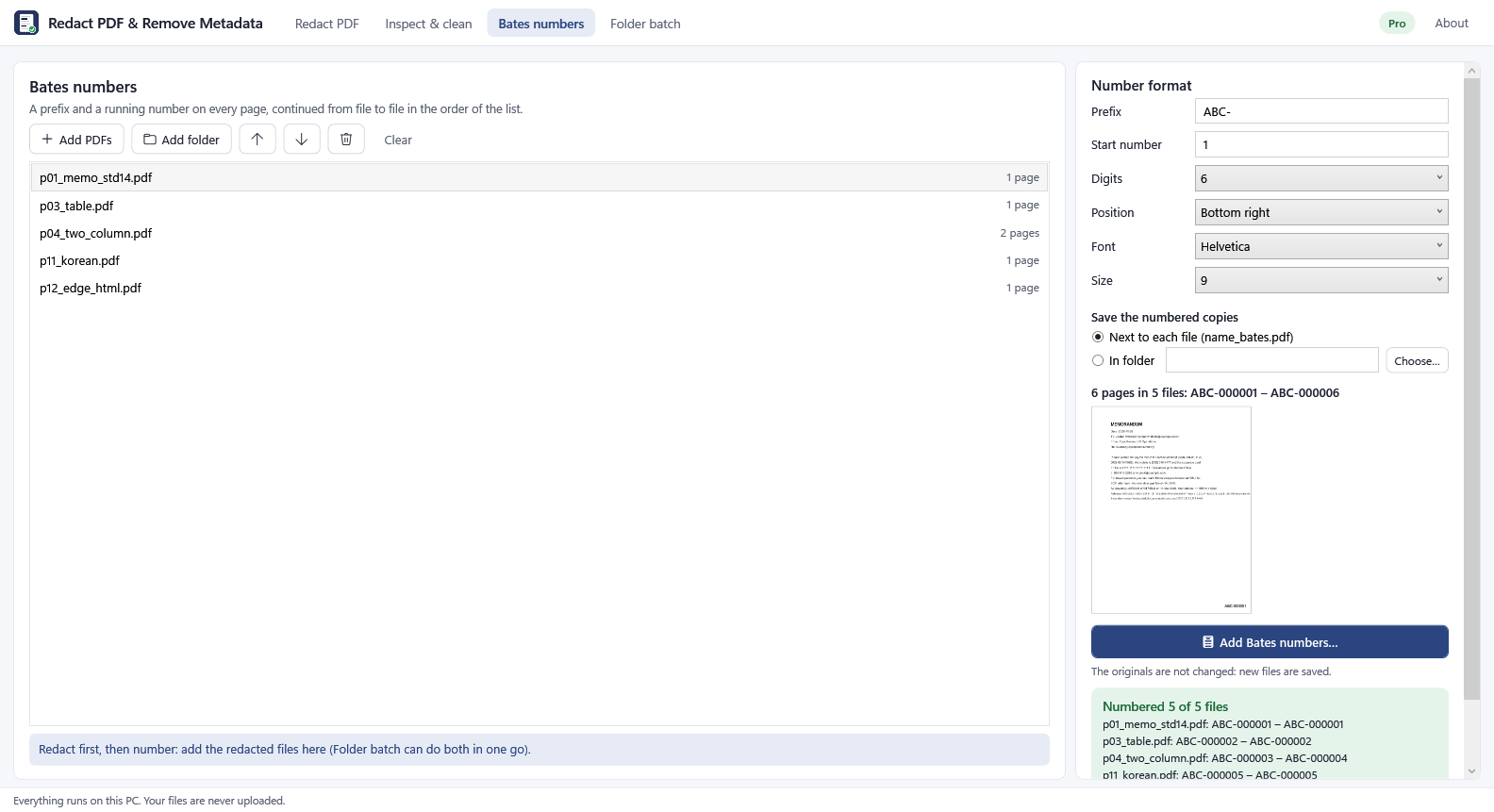
Bates numbers and folders.
Number many files in a row, or process a whole folder with a report (Pro).
Offline.
No account, no upload, no tracking. The original file is never changed.
Free and Pro
| Free | Pro ($49.99/year or $7.99/month, 1-week free trial) |
|---|---|
| Inspect any file | Automatic patterns: email, phone, US SSN, Korean resident registration number, card, dates, your own pattern |
| Remove metadata, one file at a time | Scanned PDFs (OCR) |
| Redact by search word or drawn box, one file at a time | Content cleaning: tracked changes, comments, hidden content |
| — | Folder batch, Bates numbers, process reports |
Measured, not promised
- Automatic finding can miss things — always check the list and the pages. On our hardest test set (written before the patterns were last changed) the patterns found 20 of 34 items, with no wrong finds; numbers without separators, some date formats and spelled-out email addresses were missed.
- Redaction: 22 test PDFs (text, tables, two columns, images, forms, comments, bookmarks, attachments, scans, rotated pages, hidden layers, earlier versions) were redacted and read again in five different ways with three independent PDF libraries and a raw scan: none of the redacted values was found.
- Office cleaning: 49 test files, 635 hidden items, all removed as chosen; large workbooks (1 million rows) are cleaned with under 100 MB of memory.
Limits
text the OCR cannot read is not found — draw boxes over it. Pictures in JPEG 2000 / JBIG2 form under a box are removed whole. Lines that cross a box stay. Redacting removes a PDF's accessibility tags. Visible content such as headers, hyperlinks and chart data is listed but not changed. Old formats (.doc, .xls, .ppt) are not supported. Results have not yet been checked in every viewer: open the new file before you share it.
Screenshots
Select an image to view it at full size. The sample documents contain fictional test data.