WINDOWS APP
XRechnung · ZUGFeRD
Factur-X · Peppol
.xml · .pdf
E-Invoice Viewer
Received an e-invoice that is just XML? Since 2025 every business in Germany must be able to receive e-invoices (XRechnung, ZUGFeRD), and France follows from September 2026 (Factur-X). E-Invoice Viewer shows these files as a normal, readable invoice — on your PC, without uploading anything.
Free: open and read
- Open XRechnung (UBL and CII), ZUGFeRD 1.0 and 2.x, Factur-X, Peppol BIS Billing 3.0 and other EN 16931 invoices and credit notes.
- ZUGFeRD / Factur-X PDF: the invoice XML inside the PDF is found and shown.
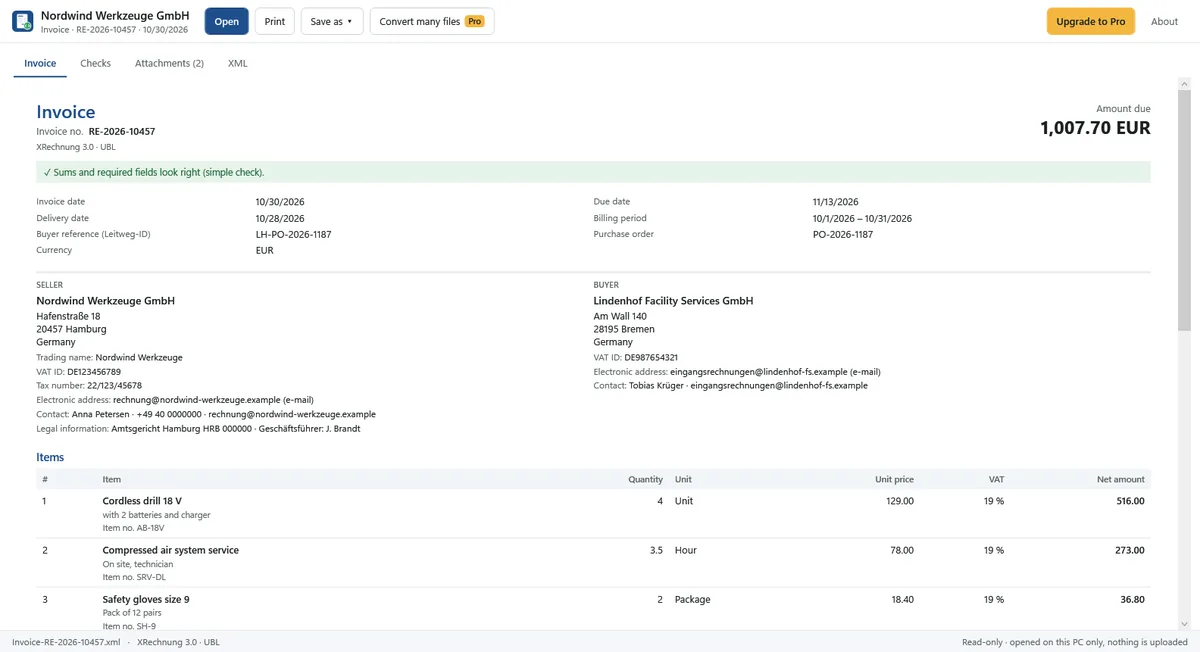
- Seller and buyer with address, VAT ID, tax number and Leitweg-ID.
- Items with quantity, unit, unit price, discounts, VAT rate and amount.
- VAT breakdown, allowances and charges, totals and amount due.
- Payment details: IBAN, BIC, payment reference and payment terms.
- Codes in plain words: “Hour” instead of HUR, “Reverse charge” instead of AE.
- Attachments inside the invoice: list, open and save one.
- The XML itself, indented, with search. Print.
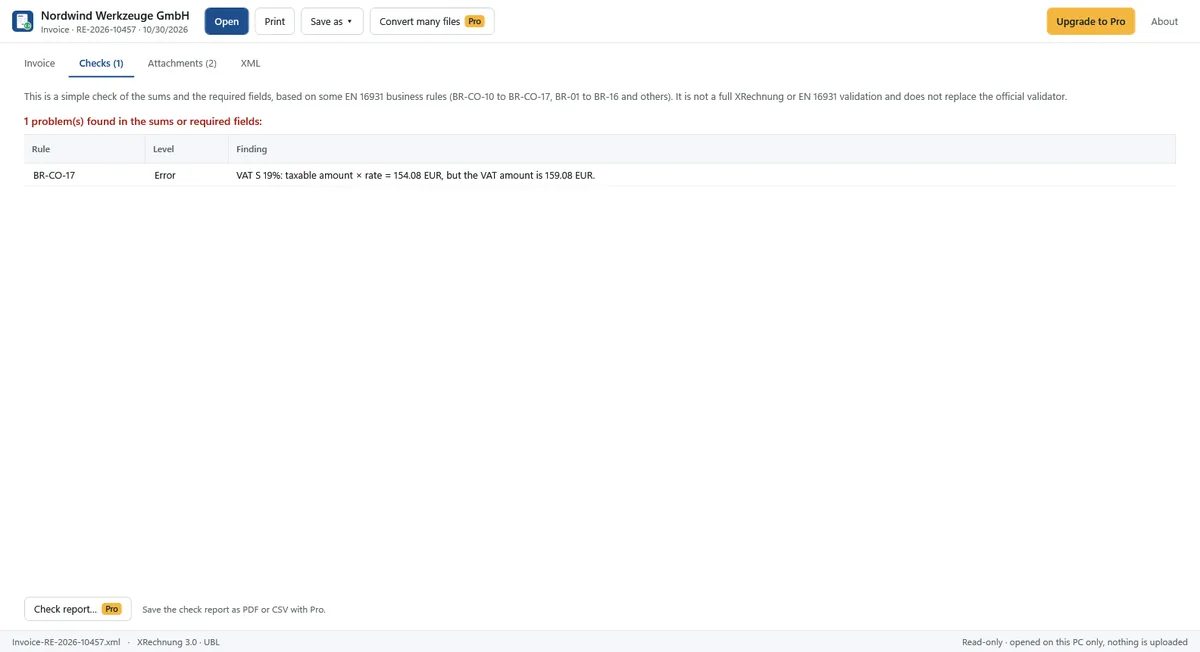
- A simple check of the sums and required fields (some EN 16931 rules), with a warning when something does not add up.
Pro: save and convert
$19.99, one-time purchase. No subscription.
- Save a readable PDF of the invoice.
- Export items and header data to xlsx or CSV.
- Convert many files or a whole folder at once, and collect many invoices in one xlsx table (one row per invoice: date, number, seller, net, VAT, total, IBAN …).
- Save the check report (which rule, expected and found values) as PDF or CSV.
- Save all attachments at once.
Good to know
- The check is a simple check of sums and required fields. It is not a full XRechnung or EN 16931 validation and does not replace the official validator.
- The original e-invoice XML stays the legally relevant document; the readable view and the PDF are for reading.
- Not supported yet: Italian FatturaPA and password-protected PDFs.
- Interface in English, German, French, Italian, Spanish and Korean.
Private by design
Everything happens on your PC. Nothing is uploaded, no account is needed, and the original file is never changed. Read the Privacy Policy.
Bank statements as PDFs? See Statement PDF to Excel. Need to remove personal data before sharing a document? See Redact PDF.